
Orbit Studio
Orbit system configuration software
Description: Orbit Studio is configuration software for Orbit 60 and Orbit DCM systems from Bently Nevada. Graphical system setup, channel configuration, relay logic programming and real-time monitoring.
Key features:
- Graphical configuration — intuitive drag-and-drop interface
- System Configuration — hierarchical system view
- Channel Setup — parameters, setpoints and transducer setup
- Relay Logic — graphical relay logic programming
- Multi-System Management — manage multiple systems
- Monitoring — real-time value display
Supported systems:
Main functions
System Configuration
- • Graphical system configuration
- • Drag-and-drop modules from the library
- • Hierarchical system view
- • Access to individual channels
Channel Setup
- • Channel parameter setup
- • Alarm setpoints
- • Scale factors
- • Transducer types and ranges
Relay Logic Configuration
- • Create and manage relay logic
- • Multiple logic pages
- • Graphical configuration
- • Logic functions (AND, OR, NOT)
Multi-System Management
- • Connect to multiple systems
- • Offline configurations
- • Copy/paste between systems
- • Bulk configuration deployment
Monitoring and diagnostics
Real-time Monitoring
- • Current values on all channels
- • Bar graphs
- • Tabular lists
- • Loop checks
Utilization Calculator
- • PPM capacity assessment
- • 90% capacity warning
- • Module recommendations
Security
- • User-based permissions
- • Password protection
- • Configuration locking
- • Change audit trail
Connectivity interface
- →USB port on SIM/TDI module
- →Ethernet connectivity — network connection
- →Remote system connection
- →Local and networked operation
Orbit Studio benefits
Simplicity
Graphical interface with drag-and-drop
Flexibility
Configure for any task
Efficiency
Fast system configuration
Reliability
Configuration validation
Scalability
Work with multiple systems
Security
Access control and audit
Related systems
Ascent — legacy vibration analysis software
SCOUT100 and vbSeries data analysis, System 1 compatible
- Ascent
- Ascent
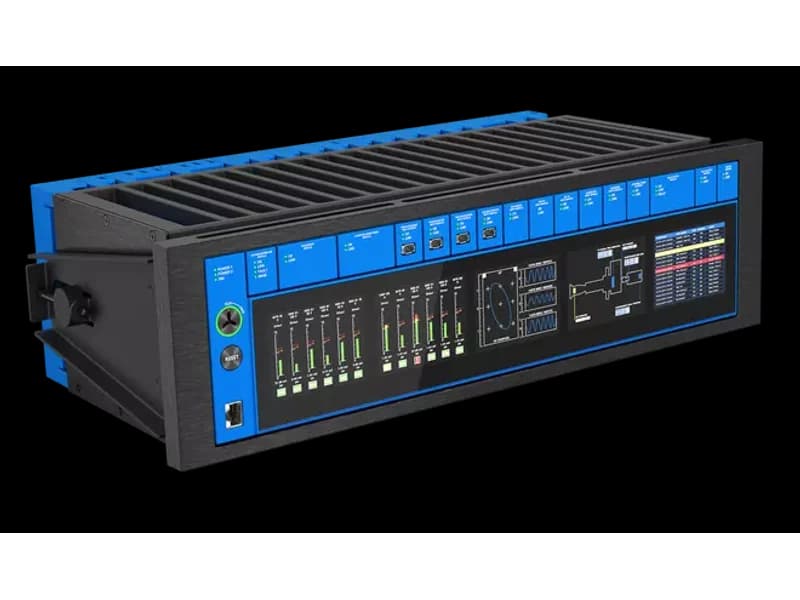
60M01 — Orbit 60 System Interface Module (SIM)
Bently Nevada Orbit 60 module for vibration and condition monitoring — supply and service in Kazakhstan.
- USB, Ethernet
- Graphical interface
Compatible systems
Frequently asked questions
Do I need a separate Orbit Studio license for every Orbit 60 or Orbit DCM system?
Orbit Studio supports connecting to multiple systems from one session and working with offline configurations — the specific licensing model depends on Bently Nevada's terms of supply; check with KEG TRK as a partner when sizing a configuration for your equipment fleet.
Can relay logic be configured without programming knowledge?
Yes, Orbit Studio's Relay Logic Configuration uses a graphical drag-and-drop interface with logic blocks (AND, OR, NOT) and visual connectors — logic is built visually, with no code to write.
What does the System Utilization Calculator do?
The tool estimates remaining PPM processing capacity and warns at 90% utilization, flagging when it's time to add another processing module — this helps plan system expansion before it hits a performance ceiling.
Does Orbit Studio work remotely, or does it need physical access to the chassis?
The software supports connections via USB on the SIM/TDI module as well as Ethernet, including remote connection over the plant network — configuration and diagnostics can be done without being physically present at the chassis.
Need advice?
Our specialists will help you choose the optimal Orbit Studio configuration for your equipment.